
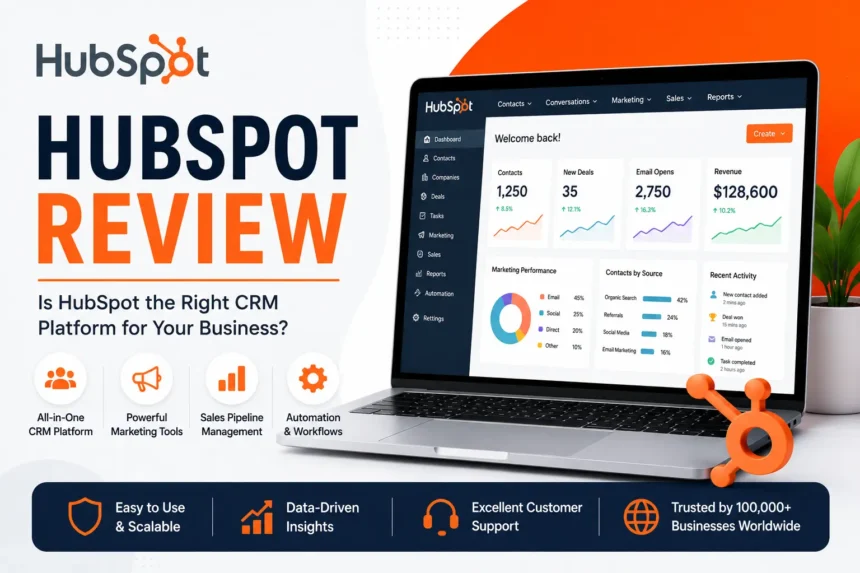
HubSpot is often recommended as an all-in-one platform for marketing, sales, customer service, and CRM.
That description is correct, but it does not tell you whether HubSpot is actually the right choice.
Because there is a big difference between using HubSpot’s free CRM for managing contacts and building your entire business around multiple paid HubSpot products.
The first can be an easy decision.
The second deserves more thought.
HubSpot can bring a lot of things into one place. You can manage contacts, capture leads, send marketing emails, track deals, create landing pages, automate certain tasks, manage customer support, and more. The company divides these tools into different products, commonly called Hubs.

That sounds convenient because it is.
But the cost can increase as you need more advanced features, more contacts, additional users, or higher-level plans.
So the question is not simply:
“Is HubSpot good?”
A better question is:
“Do I actually need an all-in-one system, or am I paying for features my business will never use?”
For the right company, HubSpot can simplify a messy collection of different tools. For a small business with simple requirements, it can sometimes be more platform than necessary.
The Free CRM Is Where HubSpot Makes the Most Sense for Many Small Businesses
HubSpot’s free tools are one of the main reasons people start using the platform.
If you currently manage leads through spreadsheets, random email threads, and handwritten notes, even a basic CRM can make a noticeable difference.
You can keep customer and prospect information in one place, record interactions, track deals, and organise your sales pipeline.
That is useful without needing to build an entire marketing operation.
HubSpot’s strategy is fairly easy to understand once you start using it.
You can begin with the free tools and add paid products later if your requirements grow.
That is a good approach for many businesses because it lets you learn whether the system actually fits your workflow before making a larger commitment.
The problem comes when people assume that “free to start” means everything they might eventually need will remain free.
It won’t.
HubSpot Is Really Several Products Under One Brand
One reason HubSpot can initially feel confusing is that it is not just one piece of software.
The platform includes products focused on areas such as:
Depending on your plan, these tools can work together.
For example, a visitor might fill out a form on your website. Their information can enter your CRM, trigger an automated workflow, become part of a marketing campaign, and later be handled by a sales or customer service team.
This connected ecosystem is one of HubSpot’s strongest advantages.
Instead of trying to connect five completely different platforms, you can potentially manage a larger part of your customer journey inside one system.
But whether that is worth paying for depends on your business.
If you only need to send a newsletter twice a month, you probably do not need a large marketing automation platform.
HubSpot Is Particularly Useful When Your Business Has Outgrown Spreadsheets
There is usually a point where simple tools stop being enough.
Maybe your sales team has more leads than one person can track.
Maybe marketing is generating leads, but nobody knows which campaigns are actually producing customers.
Maybe customer support information is separated from sales information.
Or perhaps everyone has their own spreadsheet.
That is when a connected CRM system starts becoming more useful.
HubSpot can give different teams access to the same customer information instead of forcing people to constantly move data between separate systems.
For a growing company, that can save time and reduce mistakes.
The value is not really in having a dashboard with lots of charts.
The value is in knowing what is happening with a lead or customer without searching through five different tools.
Marketing Automation Is One of HubSpot’s Biggest Selling Points
This is one area where HubSpot becomes more interesting for businesses with a proper lead-generation process.
Imagine someone downloads a guide from your website.
Instead of manually sending every follow-up email, you could create an automated process based on certain actions.
The person receives an email.
If they click a particular link, they may move into another part of the workflow.
If they become a customer, they can be removed from a promotional campaign.
Automation can save a significant amount of manual work when you have enough leads to justify it.
But automation is not automatically useful simply because the feature exists.
A badly designed automated campaign can annoy customers faster than a manually written email.
Before paying for advanced automation tools, I would make sure you already understand your customer journey.
Otherwise, you are just automating confusion.
HubSpot Can Replace Multiple Tools, but That Does Not Automatically Make It Cheaper
This is one of the most important things to consider.
Suppose you currently use:
Replacing all of those with HubSpot could simplify your business.
In that situation, the price might make sense.
But if you only use one or two HubSpot features, paying for a larger plan may not be financially sensible.
This is why I would never look at HubSpot pricing in isolation.
Instead, calculate what you currently pay for the tools HubSpot could realistically replace.
Then compare that with the plan you actually need.
Sometimes HubSpot may be more expensive.
Sometimes consolidating everything into one platform could save money and reduce the amount of work involved in connecting different services.
Pricing Can Become the Biggest Problem for Growing Businesses
HubSpot is easy to start with.
The more complicated question is what happens when your business grows.
Advanced features, larger contact databases, additional users, and higher-level functionality can all affect the overall cost depending on the products and plans you use.
That does not necessarily make HubSpot overpriced.
A large business that genuinely uses the platform across marketing, sales, and customer service may get substantial value from it.
The issue is paying for capacity you do not currently need.
I would be particularly careful about choosing an advanced plan simply because it includes an attractive feature.
Before upgrading, ask:
Will this feature save enough time or generate enough value to justify the additional cost?
If the answer is unclear, staying on the current plan may be the better decision.
HubSpot Is Easy to Use Compared With Many Enterprise-Style Platforms
Despite the amount of functionality, HubSpot is generally designed to be approachable.
The interface is one of the reasons smaller businesses can start using the platform without needing a dedicated technical team.
Of course, once you start building complicated automation, reports, permissions, integrations, and workflows, there will be a learning curve.
But the basic system is easier to understand than many enterprise-focused CRM platforms.
That is important because software only helps when people actually use it.
The most powerful CRM in the world is useless if your sales team avoids opening it.
HubSpot does a reasonably good job of making common tasks feel accessible while still offering more advanced functionality for larger teams.
The Reporting Can Be Valuable, but Only If Your Data Is Clean
HubSpot can help businesses understand what is happening across their marketing and sales activity.
You may be able to track where leads are coming from, how they move through the sales process, and which activities contribute to results.
But reporting is only as good as the data inside the system.
If your team does not update deal stages, enters incomplete information, or creates duplicate contacts, the reports can become misleading.
This is not really a HubSpot problem.
It is a CRM problem in general.
Before investing heavily in reporting and automation, establish clear rules for how your team should use the system.
Decide who owns the data.
Decide what information needs to be recorded.
And make sure people follow the same process.
That will usually improve your reporting more than adding another dashboard.
HubSpot’s Marketplace and Integrations Can Be a Major Advantage
Most businesses do not use only one piece of software.
You may already have accounting software, an ecommerce platform, advertising tools, scheduling software, or another business system.
HubSpot offers integrations and an app marketplace that can help connect the platform with other services.
This can reduce the need for manual data transfers.
However, I would still check each integration carefully.
“Integration available” does not necessarily mean every piece of data moves exactly the way you want.
Some integrations are simple.
Others require additional setup or paid third-party services.
Before choosing HubSpot for your entire business, test the important connections first.
If your business depends on Shopify, for example, make sure the integration actually provides the data and workflow you need.
Who Should Consider HubSpot?
HubSpot can make a lot of sense for businesses that are actively generating leads and need a better way to manage the customer journey.
I would seriously consider it if:
It may be less suitable if you run a very small business with simple requirements.
If you only need basic email marketing or a simple contact database, there may be cheaper and simpler alternatives.
More features are not always better.
HubSpot vs Using Several Smaller Tools
There are two ways to build your software setup.
You can choose separate specialist tools.
For example, one tool for email, another for CRM, another for support, and another for automation.
Or you can use a more connected platform such as HubSpot.
Neither approach is automatically better.
Separate tools can sometimes be cheaper and give you more freedom to choose the best software for each task.
The downside is that integrations can become complicated.
An all-in-one system can reduce that complexity.
The downside is that moving away later may become difficult if your entire business depends on one platform.
I would choose HubSpot when the benefits of having connected data and workflows are genuinely important.
I would not choose it simply because “all-in-one” sounds more professional.
Where HubSpot Is Strong
HubSpot has several clear advantages.
The free CRM gives new users a practical place to start.
You can test the basic system without immediately committing to an expensive plan.
The different products can work together.
Marketing, sales, service, and customer data can be managed within the same ecosystem.
It is relatively approachable.
The platform offers substantial functionality without immediately feeling like software designed only for large corporations.
Automation can save time.
For businesses with a consistent lead-generation process, automation can reduce repetitive work.
It can grow with the business.
You can start with basic tools and expand as your needs become more complex.
Where HubSpot Can Be Frustrating
The biggest issue for some businesses is cost.
A platform that starts free can become significantly more expensive once you need advanced functionality or larger-scale usage.
There is also the risk of overcomplicating things.
A small business can easily spend weeks configuring workflows, properties, pipelines, and reports when a simpler system would have been enough.
Another consideration is platform dependency.
The more parts of your business you build inside HubSpot, the harder it can become to move everything elsewhere later.
That is not necessarily a reason to avoid the platform.
It is simply something to consider before making HubSpot the centre of your entire operation.
My Honest Take: HubSpot Is Excellent When You Need a Connected System
HubSpot is not software I would recommend to every business.
A freelancer with ten clients probably does not need the same system as a company with a marketing team, sales representatives, and thousands of leads.
But for a growing business that has started to outgrow spreadsheets and disconnected tools, HubSpot can be extremely useful.
The biggest mistake would be jumping straight into expensive plans without understanding how your team will use the platform.
Start with the basics.
Set up your contacts.
Create your sales pipeline.
Understand how the data works.
Then add more advanced tools when you have a genuine reason to use them.
So, Is HubSpot Worth It?
Yes, if your business needs CRM, marketing, sales, or customer service tools that work together.
The platform becomes particularly valuable when multiple teams need access to the same customer information.
Maybe not, if you only need one simple tool.
In that case, a specialised alternative may be cheaper and easier to manage.
HubSpot’s biggest advantage is not that it has the most features.
Its real advantage is that the right features can work together.
If that is something your business genuinely needs, HubSpot is worth serious consideration.
You can explore the free tools and current plans through HubSpot’s official website.
Frequently Asked Questions
Is HubSpot really free?
HubSpot offers free tools, including CRM functionality, but advanced features and additional products may require paid plans.
Is HubSpot good for small businesses?
It can be, especially for businesses that want a CRM and expect to grow. However, very small businesses with simple needs may find that a cheaper or more specialised tool is sufficient.
Is HubSpot difficult to use?
Basic HubSpot features are relatively easy to understand. More advanced automation, reporting, integrations, and complex workflows require more time to learn and configure.
Is HubSpot worth the money?
It can be worth the cost when a business actively uses multiple parts of the platform and benefits from having marketing, sales, and customer information connected. If you only need one or two basic features, it may be more expensive than necessary.
Can HubSpot replace other business tools?
Depending on your requirements, HubSpot can potentially replace or combine several separate tools used for CRM, marketing, sales, customer service, and automation. Whether it can fully replace your existing software depends on the features and integrations your business needs.