


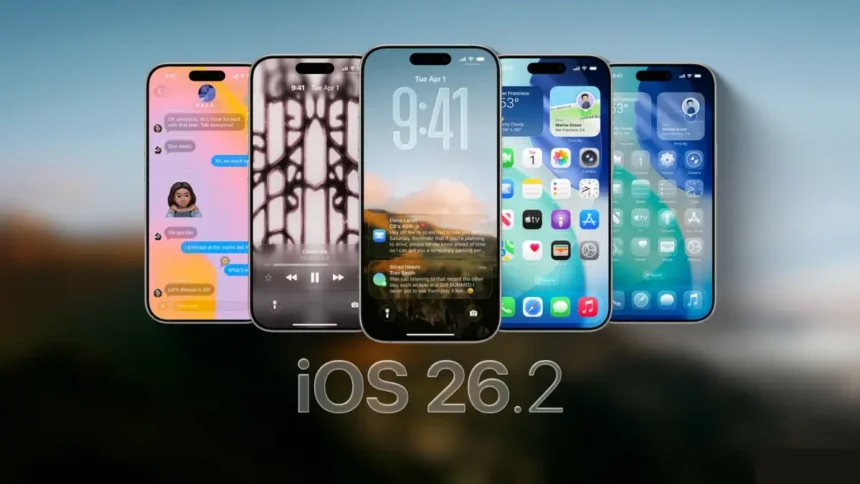
Apple has officially released iOS 26.2, the latest software update for iPhone users, continuing its rollout of improvements introduced with iOS 26 earlier this year. The update, which became available in December 2025, focuses on refining the user experience, strengthening security, and adding practical new features to everyday apps.
Since the launch of iOS 26 in September, Apple has steadily worked to improve performance and usability. While iOS 26.1 received mixed feedback due to its bold visual changes, iOS 26.2 aims to polish those features rather than reinvent them. If you’re wondering whether this update is worth installing, here’s a complete breakdown of what’s new, what’s fixed, and how to get it on your device.
What Is iOS 26.2?
iOS 26.2 is the second major point update in the iOS 26 cycle. According to Apple, the update brings enhancements to core apps, deeper customization options for the Liquid Glass interface, and important security updates designed to protect user data.
Unlike a major version update, iOS 26.2 does not dramatically change how your iPhone works. Instead, it focuses on refining existing features and addressing issues reported by users after iOS 26.1.
What’s New in iOS 26.2?
Enhanced Liquid Glass Customization
One of the most talked-about features of iOS 26 has been the Liquid Glass design, a transparent, bubble-like interface applied to lock screens and home screens. In iOS 26.2, Apple has expanded customization options, allowing users to:
This update appears to be a direct response to user complaints that the original design looked distracting or cluttered on certain backgrounds.
More Read

Apple Music Improvements
The Apple Music app has received subtle but meaningful upgrades. Users can expect smoother navigation, better playlist organization, and improved performance when switching between tracks or browsing large libraries.
These enhancements are aimed at making daily music listening faster and more intuitive.
Podcasts App Gets Smarter
The Podcasts app now includes automatically generated chapters, created using podcast transcripts. This allows users to:
This feature, previously limited or inconsistent, is now more widely available and reliable, according to reports from Apple Insider.
Clock App Meets Reminders
iOS 26.2 introduces a practical cross-app feature: alarms created in the Clock app can now be added to Reminders. This helps users manage schedules more efficiently, especially for recurring tasks like meetings, medication reminders, or daily routines.
Security Updates and Bug Fixes
As with most Apple updates, iOS 26.2 includes critical security patches. While Apple does not publicly disclose specific vulnerabilities, the company states that the update fixes flaws discovered in iOS 26.1.
Apple follows a strict policy of not revealing security details until fixes are widely available, a move designed to protect users from potential exploitation.
A Quick Look Back: What Was iOS 26.1?
Released in November 2025, iOS 26.1 introduced several high-profile features, including:
However, many users found the visual changes overwhelming, leading to criticism across social media platforms.
How to Download iOS 26.2 on Your iPhone
If you’re ready to update, Apple recommends following these steps:
- Plug your iPhone into a power source
- Connect to a stable Wi-Fi network
- Open Settings
- Tap General
- Select Software Update
- Tap Download and Install
Your device will automatically check compatibility, available storage, and battery requirements before installation begins.
Can You Downgrade from iOS 26?
Once you update to iOS 26 or iOS 26.2, Apple does not allow downgrading to older versions like iOS 18. According to reports from the USA TODAY Network, Apple stops signing older firmware shortly after new releases, making downgrades impossible for most users.
User Reactions: Mixed Reviews Continue
Criticism on Social Media
Despite the refinements in iOS 26.2, user sentiment around iOS 26 remains divided. On platforms like Reddit, some users describe the Liquid Glass interface as “disorienting” and “hard to focus on.”
Others claim their phones updated automatically, leaving them unhappy with the new look and performance.
On X, several users advised others to delay updating, warning that the design negatively impacts usability.
Supporters Praise the Design
Not all feedback has been negative. Some users appreciate the modern, futuristic feel of Liquid Glass, calling its animations smooth and visually appealing. A growing number of iPhone owners say the design grows on you over time, especially with improved customization in iOS 26.2.
Should You Update to iOS 26.2?
If you’re already on iOS 26 or iOS 26.1, updating to iOS 26.2 is strongly recommended, especially for security reasons. The update does not drastically change the interface but improves stability, usability, and app functionality.
However, users who strongly dislike the Liquid Glass design should note that it remains a core part of iOS 26, even with new customization controls.
iOS 26.2 represents Apple’s effort to listen to user feedback while maintaining its vision for a more immersive iPhone experience. With app-level improvements, smarter integrations, and vital security patches, the update is more about refinement than revolution.
As Apple continues to evolve iOS 26, future updates are expected to further optimize performance and user control. For now, iOS 26.2 stands as a safer, more polished version of Apple’s latest mobile operating system.