

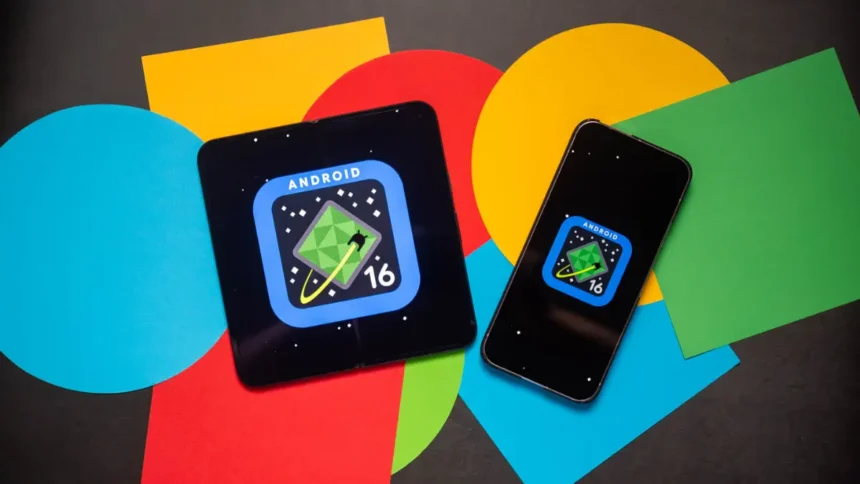
Google has officially begun rolling out the stable Android 16 QPR2 update, marking a major shift in how Android evolves for both users and developers. More than just another quarterly patch, this release represents Google’s strategic transition from a single yearly Android upgrade to more frequent, feature-rich updates—allowing users to enjoy new capabilities as soon as they’re ready rather than waiting for the next annual release.
Android 16 QPR2 isn’t a small tweak—it’s a notable milestone that enhances Pixel devices with new lockscreen widgets, deeper AI-assisted functionalities, visual refinements, and an improved developer experience. For millions of Pixel users—spanning the Pixel 6 series to the latest Pixel 10 lineup—this update means faster innovation, more personalization, and a smoother user experience.
In this detailed blog, we’ll break down what’s included in the new update, why Google is shifting its strategy, and how these changes impact everyday users.
A New Update Strategy: What Google Is Trying to Achieve
For years, Google has released one major Android update annually, with quarterly “QPR” updates offering stability improvements or minor features. But the tech landscape has changed—AI features evolve rapidly, hardware capabilities advance quickly, and developers need updated tools more often.
To respond to this, Google announced a new update philosophy beginning late 2024:
👉 More frequent SDK releases
👉 Faster rollout of developer tools
👉 Continuous innovation instead of yearly big drops
More Read

With Android 16 QPR2, this strategy is officially in action.
Google calls it a “new chapter for how Android updates work.” The goal is simple: give users polished features quickly while ensuring developers can keep up with evolving APIs and AI integrations. Users don’t have to wait anymore—new features will arrive as soon as they’re stable.
Android 16 QPR2: Eligible Devices
The update is rolling out widely to the following Pixel devices:
This broad compatibility shows Google’s commitment to long-term support and device longevity.
Key Features in Android 16 QPR2
Let’s dive into everything new and improved in this update.
1. Lockscreen Widgets: Useful Information Without Unlocking
One of the biggest and most noticeable upgrades in Android 16 QPR2 is the return of lockscreen widgets—a fan-favorite feature from older Android versions, now redesigned for modern devices.
Here’s what the update adds:
From calendars to weather to smart home controls, users can now personalize the lockscreen more flexibly—similar to iOS, but with Android-style customization freedom.
Even the two-line clock has received a refresh. It now appears thicker and includes a subtle haptic feedback animation when tapped.
2. Smarter Notifications Powered by AI
AI continues to shape Google’s software experience, and Android 16 QPR2 builds on this momentum with a new AI-powered notification organizer.
What this organizer does:
This system declutters notifications without hiding anything important. Users still receive all alerts, but the categorization reduces noise and enhances focus.
3. More Control and Customization for the Home Screen
The home screen sees a notable jump in customization, making Android 16 QPR2 feel more personal and user-friendly.
New additions include:
For users who value a clean and cohesive home screen aesthetic, these features are a welcome upgrade.
4. Visual Improvements Across the System
Android 16 QPR2 brings several design and interface refinements to make the system more modern and consistent.
Key improvements:
These minor tweaks collectively improve usability, clarity, and accessibility.
5. Faster Delivery of Developer Tools: Why It Matters
One of the biggest underlying changes in Android 16 QPR2 isn’t directly visible to users—but it influences the future of Android development.
Google is now rolling out new SDK versions more frequently.
Benefits include:
This is part of Google’s plan to bring stability and polish to both devices and apps, strengthening the overall Android ecosystem.
6. Security Patch: December 2025 Update
With the Android 16 QPR2 rollout, Google has also released the December 2025 security patch, addressing vulnerabilities and improving long-term device safety. This ensures Pixel users stay protected without having to wait for future updates.
Why This Update Is Important: What It Means for Users
Android 16 QPR2 represents a modernization of Android’s release cycle—something that will continue shaping the OS in the coming years.
Here’s why this shift matters:
1. Faster Features Without Waiting for Android 17
New Android features will no longer be tied to annual versions. If something is ready next month, Google will ship it next month.
2. Developer Tools Will Evolve Rapidly
As AI, security protocols, and APIs evolve, developers can stay up-to-date without rewriting large parts of their apps.
3. A More Personalized Android Experience
From lockscreen widgets to icon reshaping and dynamic themes, users get more control over the look and feel of their device.
4. Cleaner, Smarter UI and Notifications
AI-driven organization and visual consistency improve productivity and reduce clutter.
5. Longer Device Life
More frequent updates = more consistent optimization, security, and stability.
👉 Also Read: Apple Music Replay 2025.
Conclusion
Android 16 QPR2 is more than just a system update—it marks the beginning of Google’s new vision for the Android ecosystem. With faster feature rollouts, AI-driven improvements, lockscreen widgets, enhanced personalization, better notification handling, and significant visual refinements, the update transforms how Pixel users interact with their devices.
From faster development cycles to improved user experience, Android is entering a more dynamic and innovative era, and this update lays the foundation for what’s to come.
If you’re a Pixel user, you can manually check for the update in Settings > System > System update and enjoy the new features right away.